AI Architecture Rendering: 10 Tools for Architects Compared (August 2026)
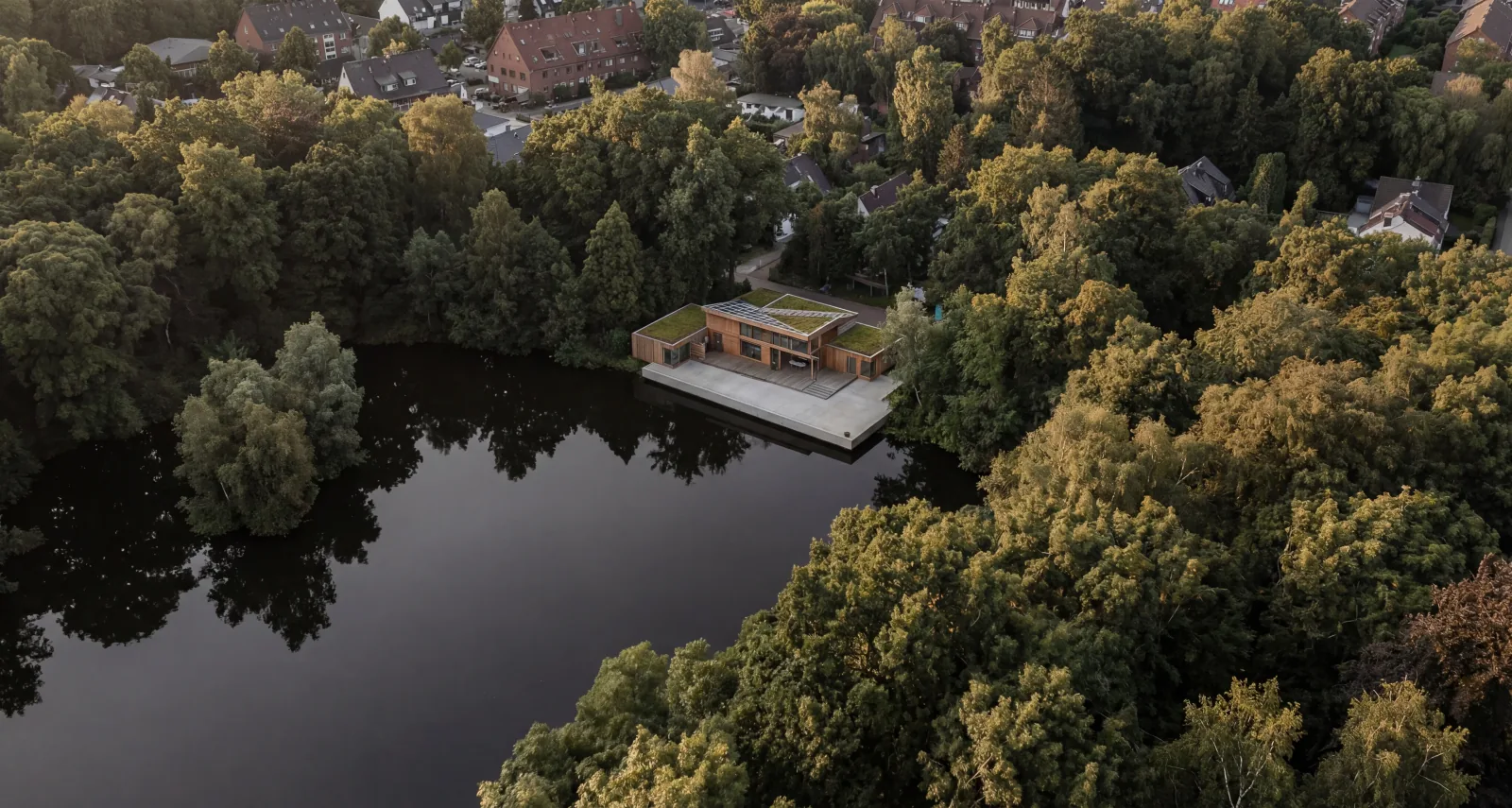
AI has fundamentally changed architecture rendering. Where external visualization agencies once spent weeks on a single image, architects now produce presentation-ready renderings in minutes, in the browser. But the tool landscape has become hard to navigate. This article introduces ten AI architecture solutions, with a focus on the specific use case in which each one plays to its strengths. The technical groundwork is in our guide to AI architectural rendering.
Disclosure: This article comes from the team behind VisioPlan. We aim to present every tool fairly, but we are of course not entirely neutral. Features and prices change quickly – research as of: 25 August 2026.
What has changed since May 2026
The first version of this article appeared in May 2026 and compared five tools. Three months is a long time in this market. What has happened since – and what we should have mentioned back then:
| What | When | What it means |
|---|---|---|
| MidJourney V8.1 | 30 Apr 2026, default since June 2026 | Our May version still referred to V7. Two generations out of date. |
| Nano Banana 2 Lite and Gemini Omni Flash | 30 Jun 2026 | Google's fastest and cheapest image model so far: about four seconds per image at USD 0.034 per 1,000. Omni Flash adds video at USD 0.10 per second. |
| Nano Banana 2 (Gemini 3.1 Flash Image) | 26 Feb 2026 | Already available when we published in May. We did not mention it – we are correcting that here. |
| GPT-Image-1.5 | 16 Dec 2025 | Also in production before our first version. Per OpenAI, around four times faster than GPT-Image-1 and 20 percent cheaper in the API. |
Two of these four are corrections to our own text, not market news. We state them because a comparison article that hides its own expiry date is not worth much.
More notable than the new models is what has not changed: which tool suits a practice is still decided by the workflow, not the image model. There is a section on why below.
How we selected the ten tools
We chose ten solutions covering different points on the spectrum between creativity and control, each representing a visibly different workflow approach. It is explicitly not a ranking – ranking tools with such different jobs would be numerical cosmetics. Five we describe in depth; five follow in shorter form because they fill a gap the first five leave open.
Other relevant tools exist on the market (D5, ArchiVinci, Enscape, Archome or PromptRender).
Important note: Nearly all current AI tools for architecture work with 2D images as input under the hood – even when a 3D model is uploaded. The essential differences lie less in the AI itself and more in how the 3D model is integrated, how location data flows in, and how the surrounding workflow is structured.
The five tools with the clearest profile
1. MidJourney – for the creative early phase
MidJourney runs an entirely proprietary image model. The current V8.1, available since 30 April 2026 and default since June 2026, brings faster generation, 2K output and better prompt adherence.
Strengths: photorealistic mood imagery from pure text; very strong aesthetic quality for moodboards; a fast draft mode for exploring variants.
Limits: no CAD/BIM integration and no geometry input; no curation of architecture-specific use cases; no free tier.
When is MidJourney worth it? For architects who need early-phase inspiration, reference imagery or pitch visuals – before a concrete design exists.
2. Gendo – for fast iteration on a design canvas
Gendo is a browser-based platform for architects and design studios, built as a collaborative design canvas on which image variants are explored in parallel. Inputs are sketches, photos or screenshots from SketchUp, Rhino and Revit. Gendo deliberately follows a prompt-based approach: instead of style buttons, you describe atmosphere and materiality in your own words.
Strengths: a clear canvas for parallel variant exploration; unlimited generations even on the free tier, so iterating costs nothing per image; region-based material and style tools.
Limits: no integrated 3D viewer and no location context; the free tier watermarks output, caps export at 1k and forbids commercial use; no predefined architecture presets.
When is Gendo worth it? For architects who need many fast iterations, work in live design reviews with clients, and want to express themselves through their own text input.
3. VisioPlan – for 3D-integrated workflows without prompting
VisioPlan focuses on agentic workflows and curated use cases rather than free-form prompting. Architects upload their IFC or CAD model, which is synchronized in an integrated 3D viewer in the browser. Entering an address places the design in its real-world context, where 3D transformation tools align it precisely to the existing surroundings along every axis. Materials and lighting moods are selected by click, not by prompt – our article on the Google Viewer shows that workflow in practice, and our step-by-step comparison walks the route.
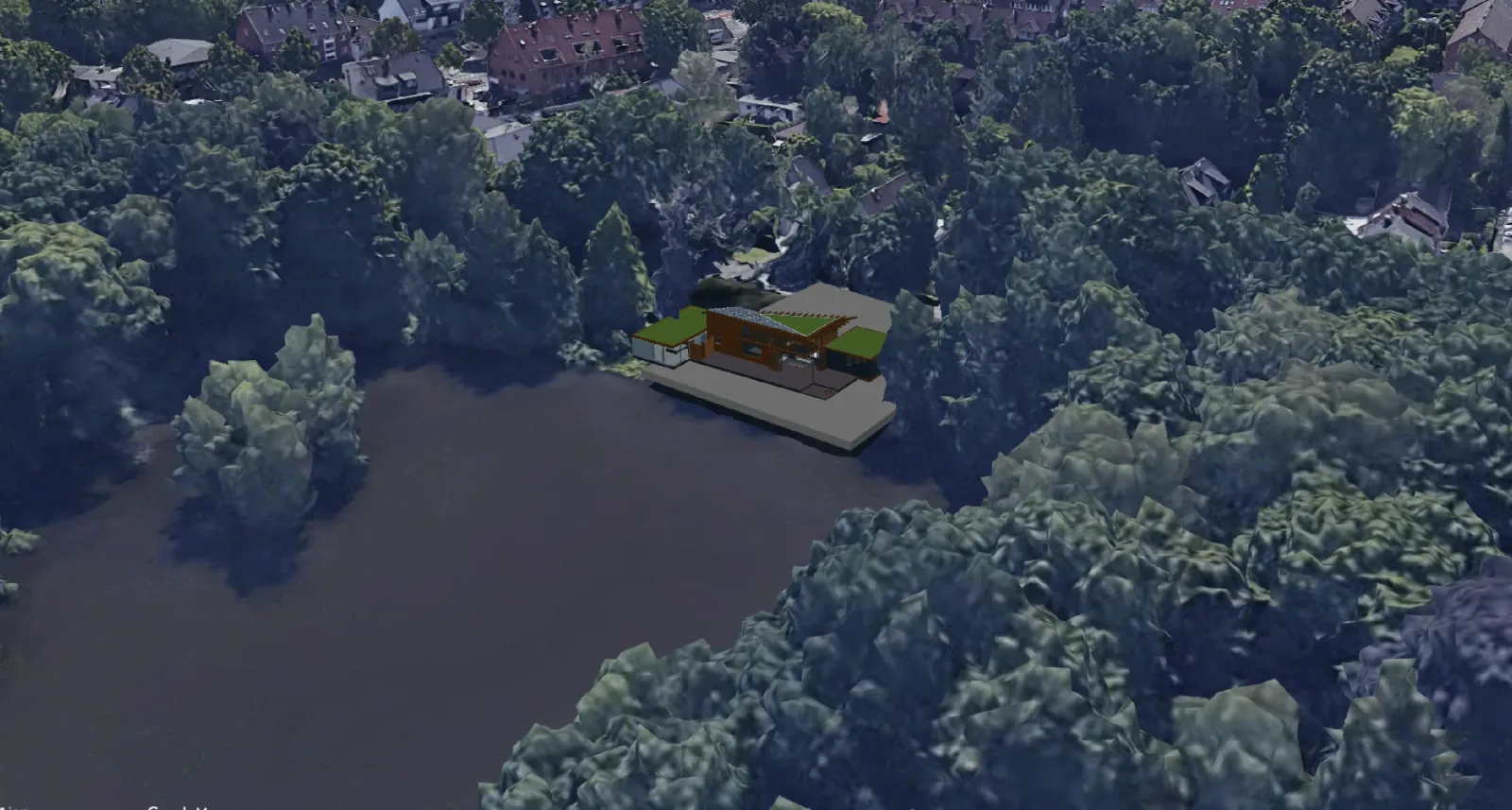
A central element is the cross-project material and object library: preferred textures, surfaces and elements are set up once and are then available in every project. VisioPlan is explicitly not just a concept tool, but is meant to carry firms across multiple project phases.
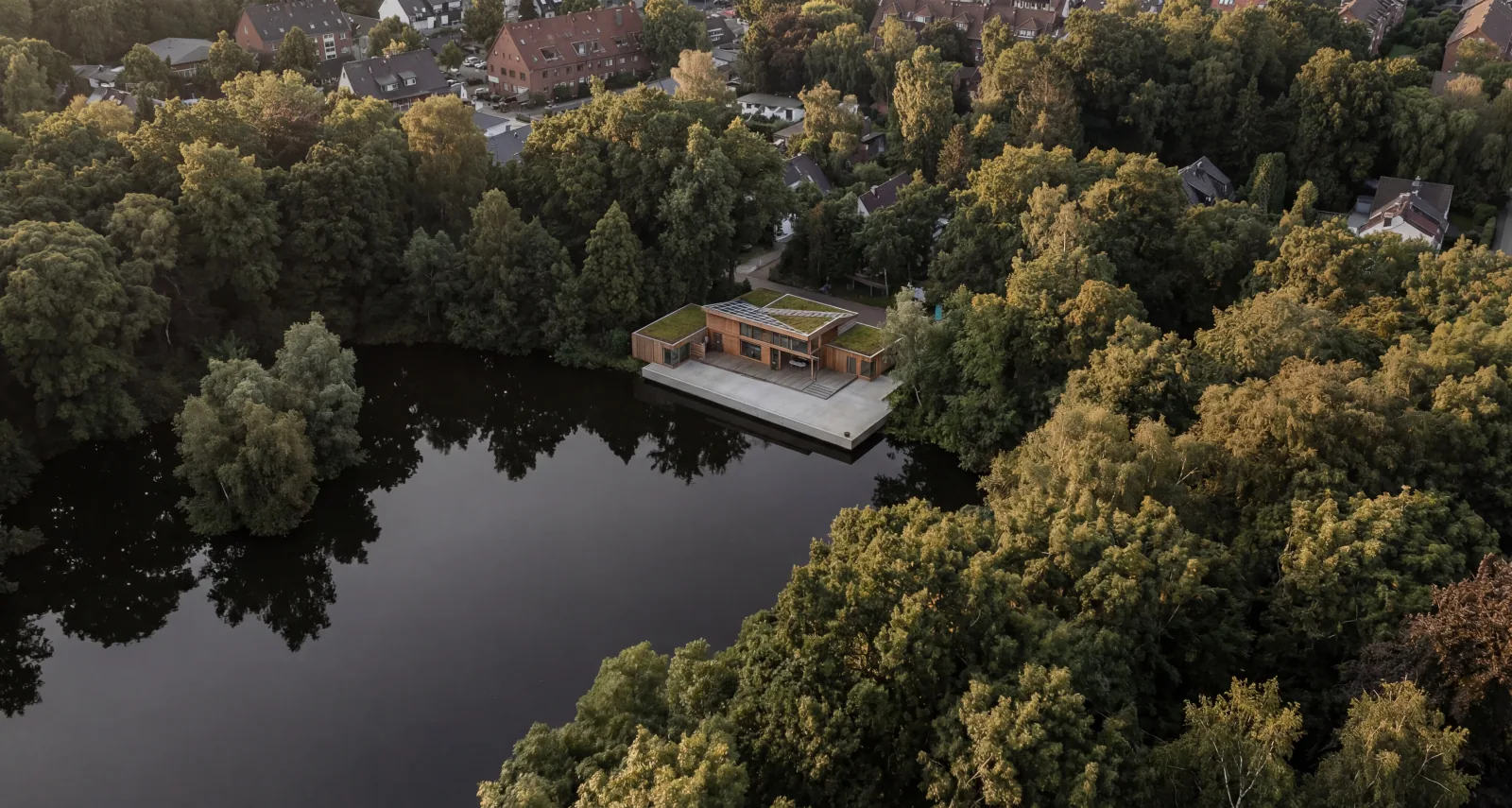
Strengths: no prompting required; an integrated 3D viewer for IFC files in the browser; location context via address entry instead of Photoshop compositing; a cross-project library for consistent office standards.
Limits: a guided workflow rather than open prompt freedom, so stronger for office standards than for experimental styles; designed for projects with an existing 3D model, without which the core benefit is missing; no permanently free tier, only a trial.
When is VisioPlan worth it? For architects who don't want to think about prompts, have a 3D model on hand, and want their rendering tool to carry the entire project lifecycle.
4. Rendair AI – for architects who want to choose the model themselves
Rendair AI positions itself as an all-in-one platform with curated workflows, while offering many settings – including the ability to choose the underlying AI model. Nano Banana 2 and GPT-Image-1.5 were each added shortly after release. It covers generation, editing, upscaling and video.
Strengths: a very broad portfolio (sketch, photo, 2D-CAD, floorplan, section, animation); free choice of model per task; many fine-tuning options.
Limits: higher complexity than one-click solutions, so it requires onboarding; credit-based, so iterating consumes balance; private mode only from the Pro tier.
When is Rendair AI worth it? For architects and visualizers who want to decide which model to use and value a broad toolset in one platform.
5. Stable Diffusion + ControlNet – for maximum control (open source)
Stable Diffusion is the open-source foundation many commercial tools are built on. With ControlNet, generation can be controlled precisely: line drawings, depth maps or normal maps are passed in as structural guidance, while style comes from the prompt and, optionally, a fine-tuned model (LoRA).
Strengths: the highest geometry fidelity here, thanks to ControlNet; reproducible results with the same seed; local execution and full data sovereignty; no licence costs.
Limits: a high entry barrier (local installation, model management, GPU); no architecture-specific interface; ongoing maintenance and learning effort, which is the real price.
When is Stable Diffusion worth it? For firms with technical expertise that need maximum control, data sovereignty and reproducibility – sensitive competition entries, or a distinctive visual style.
Five more tools that belong in the 2026 picture
6. Visoid – the second route to location context
Visoid renders uploaded 3D models via plugins for Archicad, Revit, SketchUp and Rhino. From the Premium tier, its 3D Map Placement feature places a model at its real site using Google Maps 3D data. That makes Visoid the second tool here with integrated location context – so our May statement that VisioPlan was the exception is now out of date. The free tier covers ten images at 1k.
7. Veras – AI inside the BIM tool
Veras by EvolveLAB is the only tool here that follows the plugin approach consistently: it runs inside Revit, SketchUp, Rhino, Archicad, Vectorworks and Autodesk Forma rather than in the browser. Anyone maintaining geometry in the BIM model never leaves the authoring context – but there is no canvas and no location context. Trial: 30 renders across 15 days.
8. MyArchitectAI – unlimited renders at a fixed price
MyArchitectAI uses a billing model that is rare in this field: unlimited renders and edits on every tier, with tiering instead by resolution, animations, storage and team size. Compatible with SketchUp, Archicad, Revit, Rhino, Vectorworks and AutoCAD. For firms that iterate a lot, that changes the cost calculation considerably.
9. LookX – plugins plus custom style models
LookX targets architects and interior designers, with plugins for SketchUp and Rhino. Its most interesting feature is training custom style models from a series of your own images – for practices with a recognizable visual signature, the most direct route to consistent output. Real-time generation, video and a reference-image style adapter round it out. LookX does not publish prices publicly.
10. Adobe Firefly – the generalist with licensed training data
Firefly is not specialized in architecture but appears regularly in alternative lists, mainly for the provenance of its training data and its Creative Cloud integration. For practices that process renderings in Photoshop or InDesign anyway, the short path is the argument – not architectural competence. The free tier includes 25 credits per month, watermarked.
What the new image models change about the selection criteria
In short: less than the announcements suggest – and that is the actual result of this update.
The 2026 model generation is faster, cheaper and considerably better at following instructions. Nano Banana 2 Lite produces an image in about four seconds at USD 0.034 per 1,000 images. At those figures, generation cost is no longer a meaningful line item for a practice. What a rendering actually costs is decided elsewhere – see our full-cost calculation.
Three consequences for tool selection:
- The image model is no longer a differentiator. Several providers integrate the same models within days of release. Choosing a tool by the model inside it means choosing by the criterion that changes fastest.
- The bottleneck sits before and after generation. Handing over geometry cleanly, setting the location, keeping office standards consistent, organizing revision rounds – that is the platform's job, not the model's.
- Better instruction adherence only shifts where control comes from. No model here delivers physical light simulation. For shading or daylight verification, classical renderers remain responsible.
A caveat: the performance figures above come from the providers' own announcements. We have not benchmarked them against architectural geometry ourselves.
At-a-glance comparison
As of 25 August 2026.
| Tool | 3D model input | Prompting required? | Location context | Plugin in CAD/BIM | Complexity |
|---|---|---|---|---|---|
| MidJourney | No | Yes | No | No | Low |
| Gendo | Via 2D export | Yes | No | No | Low |
| VisioPlan | Integrated 3D viewer | No | Yes (address entry) | Yes | Low |
| Rendair AI | Yes | Yes | No | No | Medium |
| Stable Diffusion | Via 2D export | Yes | Manual | No | High |
| Visoid | Yes | Optional | Yes (Google Maps 3D) | Yes | Low |
| Veras | Yes, in the host | Yes | No | Yes | Low |
| MyArchitectAI | Via 2D export | Yes | No | Yes | Low |
| LookX | Via 2D export | Yes | No | Yes | Medium |
| Adobe Firefly | No | Yes | No | No | Low |
What the tools cost, as of 25 August 2026
Prices are given in the currency the provider quotes – we do not convert, because exchange rates and taxes would distort the result.
| Tool | Free | Entry tier | Higher tier |
|---|---|---|---|
| VisioPlan | Trial | see pricing | see pricing |
| Visoid | 10 images | USD 29/month (USD 15 annually) | USD 79/month (USD 39 annually) |
| MyArchitectAI | 10 renders | USD 29/month, unlimited | USD 49/month, USD 99/month (5 seats) |
| Rendair AI | – | EUR 19/month (500 credits) | EUR 49/month (1,500), EUR 200/month (7,500) |
| Veras | 30 renders, 15 days | USD 29/month billed annually | USD 59/month billed monthly |
| Gendo* | Yes, watermarked | GBP 79/month (GBP 66 annually, 4 seats) | Enterprise on request |
| MidJourney* | – | USD 10/month | USD 30, 60, 120/month |
| Adobe Firefly* | 25 credits/month | USD 9.99/month | USD 19.99 and 49.99/month |
| LookX | Yes | not publicly listed | not publicly listed |
| Stable Diffusion | Software free | Hardware and time investment | – |
* These three prices could not be read from the provider's own page and rely on third-party sources. Check directly with the provider before any purchase decision – which applies to every figure here anyway.
What appears in none of these rows: onboarding, model preparation and revision rounds. Those dominate the real cost per image far more than the subscription price.
Which AI architecture tool for which use case?
- I need inspiration before the design exists → MidJourney
- I want to explore variants quickly with my own prompts → Gendo
- I have a 3D model and want realistic images with location context across project phases, without prompting → VisioPlan or Visoid
- I want to choose the AI model myself → Rendair AI
- I don't want to leave my authoring tool at all → Veras
- I iterate a great deal and don't want to count images → MyArchitectAI
- My practice has a visual signature that must stay consistent → LookX
- I process renderings in Creative Cloud anyway → Adobe Firefly
- I need maximum control, reproducibility and data sovereignty → Stable Diffusion + ControlNet
Frequently asked questions about AI in architecture
What is the difference between AI rendering and classical architecture rendering?
Classical rendering is based on physically accurate light simulation in software such as V-Ray, Lumion or Enscape. AI rendering instead uses generative models trained on millions of architectural images, producing photorealistic results in seconds to minutes – but without physical light simulation. For formal verification, the classical route remains responsible.
Are there free AI tools for architects?
Yes, with limits. Stable Diffusion + ControlNet is fully open source but requires hardware and know-how. Gendo offers unlimited generations free, though watermarked, capped at 1k and without a commercial licence. Visoid, MyArchitectAI, Veras and Adobe Firefly grant small free allowances for trying things out; the Free column above lists them. MidJourney has no free tier.
What does an AI architecture program cost?
In August 2026 the entry tiers here mostly sit between roughly 10 and 30 euros or US dollars per month, team tiers between about 80 and 200; exact figures are in the table above. More decisive than the subscription are onboarding, model preparation and revision rounds – our full-cost calculation shows how that adds up.
Which AI is best suited for architecture visualization with real location context?
Most AI tools have no integrated location context – it must be added manually in Photoshop. Two tools here bind location data directly: VisioPlan places the model in a photogrammetric 3D environment via address entry and aligns it with transformation tools, and Visoid offers Google Maps 3D placement from the Premium tier. Test both if this is your use case.
Which AI model is inside these tools?
Different ones, and it keeps changing. Platforms such as Rendair AI leave the choice open; MidJourney runs its own proprietary model; many providers do not name theirs at all. That makes the model inside a poor selection criterion – it is the component that changes fastest.
Will AI replace architects and visualizers?
No. These tools accelerate visualization work – translating an existing design into presentation-ready images. The design work itself, the spatial thinking and the regulatory decisions remain the architect's. AI shifts the effort from tedious rendering toward curating and refining.
Conclusion
The ten tools presented here are mostly not competitors, but answers to different workflow questions. Most firms will use several in parallel.
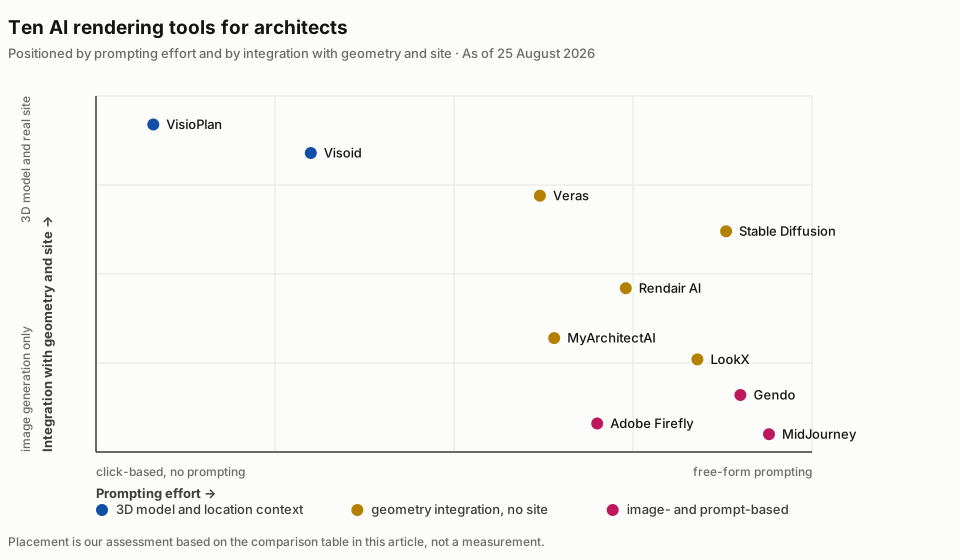
Updating to ten tools sharpened our core point rather than overturning it: the decisive question is less "Which AI architecture tool is best?" and more how much control, location context and standardization your use case needs – and across how many project phases the tool has to carry you. The models will keep improving every quarter. The answer to that question changes far more slowly.
Want to see VisioPlan in action? See the demo here.